

3.1
Free
Interactive Calendar
Free desktop calendar and planner

Desktop Calendar free download. Always available from the Softonic serversDesktop Calendar free download. Always available from trusted servers.
View an ad to download for free
From Softonic servers
Free
Free desktop calendar and planner

Free
Download Google Calendar for Mac: Sharable online calendar
Trial version
Efficient Scheduling with Active Desktop Calendar
Free
Turn All Your Calendars Into Just One
Free
Calendar and to-do list in one
.png)
Free
Download Google Calendar Sync for Windows: All your calendars in one place
Free
Windows
Windows 7
English
325.2K
5.38 MB

Efficient Task Management with Todoist

A free (GPL) program for Windows, by Patrizio Bekerle, known as pbek

Lattics: Academic Writing and Data Analysis Tool

Free note-taking application

Secure Note-Taking App: Standard Notes

Craft: Organize Your Work and Daily Life Effortlessly
Simple tool reminder

Manage Your Finances with IS Contabilidad Domestica
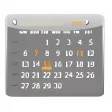
Desktop Calendar is an easy-to-use, attractive calendar for desktop computers that sticks to the basics and isn’t laden with unnecessary extra features. Right-click any cell on the calendar and type in your text to manage to-do lists, appointments, schedules, etc. Have a color assigned so that the cell stands out from other cells.
Yes, you can download and use this calendar for free, and it would remain free forever. You can donate to the makers if you want. The file size is 3.4MB approximately and the application works with Windows Vista, XP, Windows 7, Windows 8 and also Windows 10. By the way, the calendar is 100 percent secured by VirusTotal.
Head to the official Desktop Calendar website and download the program file. The installation process thereafter is the usual drill. It’s speedy and should not take more than a minute. A pop-up window would then appear seeking certain configurations. Once done, you will have the calendar on your desktop. To increase or decrease size, click at the top-right corner of the calendar.
If you like traditional wall calendars and wished digital desktop calendars worked just like them, you would like Desktop Calendar. You can record appointments, future events, or almost anything that you would imagine writing on a wall calendar on this digital calendar.
Desktop Calendar takes a clutter-free approach and embraces subtle looks, which its patrons like. But the ones that are not truly fascinated by this calendar are people who complain about the calendar being a bit too basic. They whine about the calendar lacking certain useful features. In other words, this isn’t the calendar for you if you want everything a calendar could possibly have.
Desktop Calendar may look pretty minimalistic from the outside (which is definitely pleasing) but it also supports customizations. For instance, you can fiddle with the calendar’s background, colors, cells, rows, fonts, opacity, separation of months, etc. Chosen festivals would get displayed as common holidays.
Desktop Calendar is an extremely lightweight calendar with a simple and clean interface. The resources it needs for processing are minimal. As a result, it doesn’t lag or stutter. You should, therefore, not see the calendar hurting your computer’s performance when it’s running in the background.
This calendar works as an organizer as well. It offers a complete desktop view and is packed with organizer capabilities. As aforementioned, the calendar lets you write on it and organizes the months and days well. The organizing features aren’t the most exhaustive but the basics are certainly covered.
The calendar is definitely more than just a rudimentary desktop calendar. However, if they were a few more features, the calendar would have been even better. For instance, the notification system could have been better and there should have been the option to group or color-code tasks.
That again, depends on the person using this calendar. Quite a lot of people would be happy with this calendar. But people who want to get a lot more things done or want their calendar to have every possible feature under the sun would head toward paid calendars.
A versatile note-taking solution

Free and easy to use mind mapping tool

Download Microsoft To-Do for Windows: Stay organized with ease
Efficient Task Management with Desktop-Reminder
Handy free calendar for your desktop

A simple analog clock on your screen

StickyNotes: A 3D Note-Taking Solution

Basic Stopwatch Application for Windows

Effortless Note-Taking with Free Notes

Efficient Wedding Planning with Por Fin Me Caso

Organize Your Schedule with TimeAfterTime

Organize Your Thoughts with Frases