A Free Calendar For Your Desktop Computer

This Desktop Calendar has a full desktop view and it is loaded with organizer features. It is a free program that acts as a good alternative to the software that is already installed on your computer. The program also has many of the features you tend to find in paid programs so consider this calendar before you buy one.

Top Recommended Alternative
It Beats Most Paid Calendar Programs Out Of Sight

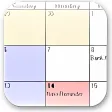
The Desktop Calendar interface is clean but that is partially due to its less-than-ample features. It does have all you would expect such as an organizing section a clear view of the days and months and the ability to write things on your calendar but it could use a few advanced functions such as a better notification system and the ability to color code or group your tasks. It is loaded with organizer features but one feels it could use a few more sorting and categorizing features too.

Conclusion - Close To Perfection

The Desktop Calendar acts as a great calendar that doubles over as an organizer. It has more features than one may expect from a calendar program but it could replace paid calendar apps if it just did a little more. However the program is free and non-intrusive so one feels obliged to give it the thumbs up. It doesn?t lag it doesn?t stutter and it doesn?t slow your computer down.


  • Pros

    • A clean and simple interface
    • There are both calendar and organizer functions
    • It doesn?t slow your computer down when it is in the background
  • Cons

    • You cannot synchronize it with Google
    • One feels that just a few more functions may have made it perfect
    • Aesthetically pleasing but not exciting

App specs

Program available in other languages


Icon of program: Desktop Calendar

Desktop Calendar for PC

  • Free
  • 3.6
    533
  • 325.8K
  • V2.3.108.5601

User reviews about Desktop Calendar

3.6

7 reviews

Add review

Main reviews for you

  • Anonymous user

    Yes... I recommend it to people who want to sync their mobile calendar planner to their PC or laptop

  • Anonymous user

    This is amazing software. I really love how it is so easy to use. I really appreciate the work that went into it. It helps me keep track of appointments...bills...birthdays. I like how it sits on top of my wallpaper but i can see right through it.

  • Anonymous user

    Very easy to use. LOVE the layout. Really like that its translucent over my wallpaper and can still see it. Software doesn't need to be complicated to be great. I can see myself using this for many years.

  • Anonymous user

    How do you sync this with google calendar? where can i find the solutions f. how do you sync this with google calendar? where can i find the solutions for this issue Pros: full desktop view Cons: google synchronisation

  • Anonymous user

    Quick and easy.. Desktop calendar is quick to install, easy to use. Perfect for someone who just wants to see reminders on their desktop in a calendar format.There are setup options for personalisation, without it getting over-complicated. Pros: Its simplicity. Cons: Possibly the option to enlarge the font of the entries.Perhaps being able to colour code events.

  • Anonymous user

    Desktop callendar is very usefull. I see the desktop callendar. it is usefull application and nice.. thanks Pros: list of agendareminder Cons: more simplebe small application

More

You may also like

Alternatives to Desktop Calendar

Explore Apps

Related Articles

Latest articles

Laws concerning the use of this software vary from country to country. We do not encourage or condone the use of this program if it is in violation of these laws.
Softonic

Is Desktop Calendar safe?

100/100

Score result: Clean

This file passed a comprehensive security scan using VirusTotal technology. It is safe to download.

  • Virus free
  • Spyware free
  • Malware free
  • Verified by Security Partners

    VirusTotal logo

Scan Info

Last scan
Wednesday, July 24, 2024
Scan provider
VirusTotal · Full report

File Integrity

File
Desktop_Calendar_V2.3.108.5601.exe
SHA256
73662822b78c45df1580902a34db6dce17cd6811d2668aff8faaacf8db004e95
SHA1
167fd74ee288b959c0986b11f59a5b7886576afe

Softonic security commitment

Desktop Calendar has been thoroughly scanned by our advanced security systems and verified by industry-leading partners. This file comes from the official developer and has passed all our security checks, showing no signs of viruses, malware, or spyware. For more information, visit our Security and Trust Center